

Product engineering · iOS and Android · Full-stack
Finance Tracker
A mobile personal-finance app for managing accounts, budgets, and transactions, with AI-assisted capture and a complete shared expense-splitting system.
The previously linked hosted preview currently returns a 404. The repository README contains the setup and release instructions.
Product overview
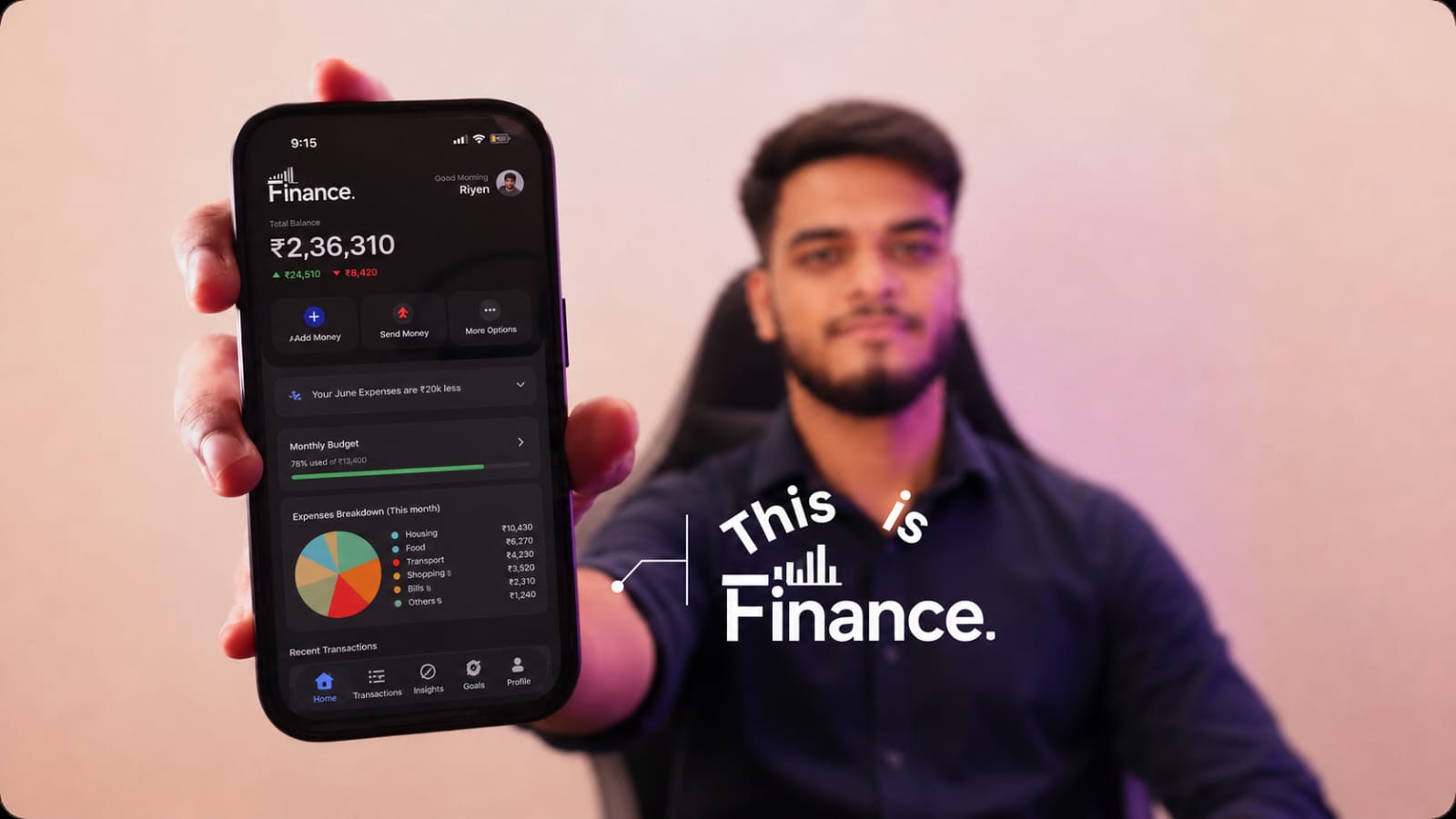
Finance Tracker combines day-to-day money management and group expense settlement in one Expo application. A user can set up their profile and currency, create accounts, log or import transactions, monitor a monthly budget, review spending, and share expenses with friends or groups. Receipt scanning, voice entry, and a context-aware assistant reduce manual work; scheduled backend tasks provide budget alerts and weekly spending tips.
System architecture
Start with the normal save path, then follow the supporting AI, live-update, and background-job flows. Supabase is the application data boundary; scheduled jobs and webhooks run separately from the app process.
Interactive AI flows
The client calls Gemini for receipt/voice extraction and assistant questions. Extracted transaction details are reviewed in the app before the user saves them.
Scheduled and event-driven work
Supabase Edge Functions handle budget emails, weekly tips, invitations, and push delivery. PostgreSQL cron jobs schedule the budget and weekly-tip functions; a database webhook triggers push delivery for notification inserts.
Core money-entry flow
Manual entry, a receipt image, or a voice note all converge on the same transaction record, so the dashboard, budget, history, and assistant use one source of truth.
Manual form · receipt photo · voice recording
Confirm amount, category, account, and date
Save transaction under the signed-in user
Refresh balances, charts, budget, and history
Product capabilities
1. Onboarding and identity
- Create an account or sign in through Clerk; first-run setup captures a preferred currency and starting balance.
- The signed-in Clerk identity is connected to Supabase as a third-party auth provider, so database policies can scope records to the authenticated user.
- Profile controls include appearance, profile image, currency, privacy/security settings, notifications, data export, sign-out, and account deletion.
2. Personal accounts and money movement
- Create and manage cash, bank, credit-card, and savings accounts; choose a default account and track balances.
- Record income and expenses with amount, category, description, date, account, and input method.
- Browse transaction history with categories, search, filters, and daily income-versus-expense charts.
- The dashboard summarizes balances, monthly income and spending, budget progress, expense breakdowns, and recent activity.
3. Budgets and spending guidance
- Set one monthly budget per user and monitor actual spending against it on the dashboard.
- A scheduled daily job sends a budget summary and threshold notifications at 50%, 90%, and 100%; the highest crossed threshold is handled first, with threshold state reset each month.
- A weekly scheduled job finds users with activity in the last seven days, asks Gemini for two to four short personalized tips, and emails a weekly recap.
4. AI-assisted money entry and analysis
- Receipt workflow: choose or capture a receipt image, ask Gemini to extract the transaction fields, review the result, then save it as a transaction.
- Voice workflow: grant microphone access, record a spoken purchase, send the audio for transcription and interpretation, then review and save the transaction.
- The finance assistant builds a context from accounts, transactions, currency, budget, and owner details. It answers recognized questions deterministically (such as balances, budget usage, and category spending) and uses Gemini for other questions.
- AI requests send receipt images, recorded voice input, or derived financial context to Google Gemini for processing. The mobile Gemini key uses an EXPO_PUBLIC_ variable and is therefore client-visible.
- The AI assistant is a spending-information aid, not a source of financial, investment, tax, or legal advice.
5. Shared expenses and settling up
- Maintain friends/contacts and create groups for contexts such as trips, home, couples, office, or custom groups; invitations can be pending before a person joins.
- Add a shared expense with a group or directly with participants, multiple payers, category, currency, notes, and an optional receipt.
- Supported allocations include equal, exact, percentage, shares, adjustment, and itemized splits. Recurring expense records support weekly, biweekly, monthly, and yearly frequencies.
- Track each participant's paid, owed, and net balance; record settlements by cash, UPI, bank transfer, or another method.
- A min-flow debt-simplification routine reduces the number of suggested transfers while preserving each member's net position. Groups also have activity history, expense comments, and payment reminders.
6. Privacy, security, and notifications
- PostgreSQL Row Level Security scopes personal records to the Clerk user ID. The split-expense schema has relationship-aware policies for group and expense membership.
- Profile privacy controls offer PIN/pattern backup locks, biometric protection, recovery questions, lock removal, and account deletion.
- Database triggers create in-app notification records for transaction additions/deletions. Supabase Realtime updates the foreground app; opted-in devices can receive background delivery through Expo Push.
- Push permission is requested from the user's notification settings, not automatically on app startup.
- The repository documents native iOS/Android push delivery; browser Web Push and service workers are not configured for the web target.
7. Export and accessibility of data
- Export transactions into a formatted .xlsx workbook with date, type, amount, category, description, account, input method, and creation time columns.
- The workbook is shared through the device's native sharing sheet when available.
- The app supports light, dark, and system appearance modes and currency-aware formatting.
Data model at a glance
Personal finance and shared spending are separate data domains. The main tables reference the Clerk user ID; shared spending uses normalized group, expense, payer, participant, and settlement records.
Personal finance
users → accounts → transactions; users → budgets, notifications, and push subscriptions
Shared expenses
Groups and expenses connect members, payers, participants, settlements, comments, invitations, activity, and reminders.
Fast data retrieval and page delivery
This portfolio page is statically generated, so its content is available without a runtime database or API request. In the Finance Tracker itself, these patterns keep user data scoped and reduce unnecessary repeat reads; actual response time depends on network conditions and database load.
Cached server state
TanStack Query owns remote data and refreshes affected queries after mutations, reusing cached results instead of refetching every screen indiscriminately.
User-scoped database reads
Supabase PostgreSQL Row Level Security filters personal records by the authenticated Clerk identity; shared-expense policies check group and expense membership at the database boundary.
Realtime updates
Supabase Realtime updates the foreground app when notifications change, while scheduled summaries and push delivery run in Edge Functions rather than blocking normal transaction reads.
Engineering decisions
Identity and authorization
Clerk is the sign-in provider; Supabase is configured to accept Clerk as third-party auth. RLS policies use the authenticated subject to limit user-owned rows. Group data uses membership-aware policies and helper functions to authorize access without relying only on client-side checks.
Server and client boundaries
The app uses client-visible Expo configuration for its publishable/service endpoint settings. Private credentials such as service-role, Resend, and webhook secrets belong in the Supabase Edge Function/Vault configuration, never in the shipped app bundle.
Reliable financial arithmetic
Split calculations are isolated in pure TypeScript engines, round to two decimal places, validate allocation totals, and calculate each member's net position before simplifying proposed payments.
Client data flow
TanStack Query owns server data and mutation-driven invalidation; Zustand holds shared user preferences. Validated form flows use React Hook Form and Zod, keeping input rules separate from persistence services.
From checkout to a production build
- Install the project dependencies with
npm install. - Configure
EXPO_PUBLIC_CLERK_PUBLISHABLE_KEY,EXPO_PUBLIC_SUPABASE_URL,EXPO_PUBLIC_SUPABASE_KEY, andEXPO_PUBLIC_GEMINI_API_KEYin the local environment. TheseEXPO_PUBLIC_values are bundled into the app; they are not a place for private keys. - Configure Clerk as a Supabase third-party auth provider, apply the SQL schema and RLS policies, and configure the required Edge Function secrets, notification webhook, and scheduled jobs in Supabase.
- Start the Expo development server with
npx expo start -c; for local native Android development, usenpx expo run:android. - Create an Android production APK with
eas build --platform android --profile production, then follow the release checklist for authentication, data operations, AI capture, export, privacy controls, and notifications.
Backend-only secrets include RESEND_API_KEY, RESEND_FROM_EMAIL, GEMINI_API_KEY, and NOTIFICATION_WEBHOOK_SECRET (plus the optional EMAIL_LOGO_URL). The documented schedules run daily at 09:00 UTC for budget summaries/alerts and every Monday at 09:00 UTC for weekly tips. Never place Supabase service-role, Clerk secret, or Resend credentials in the mobile app.
Quality, testing, and release
- Split-engine tests cover cent remainders, exact and percentage allocation validation, shares, itemized tax/tip allocation, and min-flow debt simplification.
- The README release checklist calls for validating sign-in, account and transaction flows, budgets, exports, receipt and voice capture, app locks, appearance, account deletion, and sign-out on a release build.
- Android production builds use EAS. Native configuration and bundled JavaScript changes require a new native build because automatic remote update checks are disabled in the Expo configuration.
- Production setup requires Clerk, Supabase, Gemini, database schema/RLS, Edge Function secrets, Android application metadata, and push-notification configuration. Values for
EXPO_PUBLIC_variables are embedded in the client and must be treated as public.
Technology
Explore the implementation
The repository README documents local setup, environment configuration, Supabase schema, scheduled jobs, notifications, and the production checklist.
Open Finance Tracker on GitHub